5 eFax Options Available Today (And How to Pick the Right One)
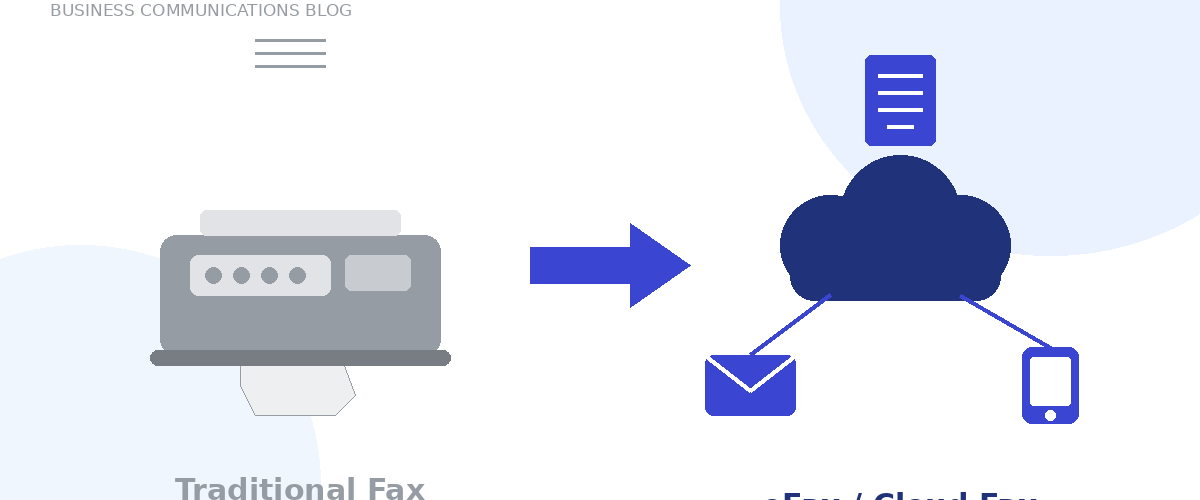
Faxing has come a long way from dedicated machines, phone lines, paper, and toner. Today, businesses and individuals can send and receive faxes digitally — from a computer, smartphone, email inbox, or web browser — without ever touching a fax machine. These eFax and online fax solutions give you the same reliable document delivery, without the hardware, maintenance, or dedicated phone line.
Here are the five main ways businesses fax today, and how to know which one fits your team.
1. Email-to-Fax
The simplest option available. You compose an email, enter the recipient’s fax number, attach your document, and send — it arrives as a standard fax on the other end. Incoming faxes work the same way in reverse, landing in your inbox as digital attachments.
Best for: Teams that already run most of their communication through email and want faxing to feel like just another email.
2. Web-Based Faxing
A secure online portal lets you upload documents, select recipients, and send faxes straight from a browser — no hardware or software installation required. Most portals also centralize your sent and received faxes in one place, with document storage, tracking, and management tools built in.
Best for: Businesses that want a dashboard view of all fax activity, or teams sending faxes from shared/office computers rather than personal email accounts.
3. Mobile Faxing
Dedicated apps let you send, receive, review, sign, and annotate faxes directly from a smartphone or tablet. Documents can be uploaded from the device itself or pulled in from connected cloud storage.
Best for: Field teams, sales reps, or anyone who needs to send or sign a fax without sitting down at a desk.
4. Print-to-Fax Software
For businesses that work primarily out of desktop applications, print-to-fax software adds a virtual fax “printer” to programs like Microsoft Office. Instead of printing a document and feeding it through a machine, you select the virtual printer and the document goes out electronically — no paper involved.
Best for: Office-based teams with existing document workflows in Word, Excel, or similar desktop apps who want to fax without changing how they already work.
5. Cloud Fax and Fax API Solutions
For larger organizations, cloud fax and fax API solutions build faxing directly into the business applications and workflows a team already uses — CRMs, EHR/practice management systems, document management platforms, and more. Instead of faxing being a separate step, it becomes part of the process: a document can be generated and faxed automatically, a status update logged, and the result routed back into the originating system, with sent and received faxes centralized for tracking and compliance.
Best for: Companies with high fax volume, compliance requirements, or a need to trigger faxes automatically from another system rather than sending them one at a time.
Which eFax Option Is Right for You?
| Option | Best For | Setup Effort |
|---|---|---|
| Email-to-Fax | Email-first teams, occasional faxing | Minimal |
| Web-Based Faxing | Centralized tracking, shared office use | Low |
| Mobile Faxing | Field teams, signing on the go | Low |
| Print-to-Fax Software | Desktop-app-based workflows | Low–Moderate |
| Cloud Fax / Fax API | High volume, automation, compliance | Moderate |
Frequently Asked Questions
Is eFax as secure as traditional faxing? Reputable eFax providers use encryption and secure transmission, and many include audit trails and compliance features (useful for industries like healthcare and legal) that paper faxing never offered.
Do I need a fax machine or phone line to use eFax? No — eFax and online fax services route faxes over the internet, so no dedicated fax machine or analog phone line is required.
Can I still fax to and from traditional fax machines? Yes. eFax services are compatible with standard fax machines on the receiving end, so documents can move freely between digital and traditional fax systems.
Ready to Modernize Your Business Faxing?
Whether your team needs simple email-to-fax convenience or a fully automated fax API integration, TopVoip can help you find the eFax solution that fits how your business actually works.